
The usability score is a key metric that helps you measure participant performance on individual tasks. This score is calculated automatically based on participant actions, feedback, and reactions during each session recording.
Accessing the Usability Score
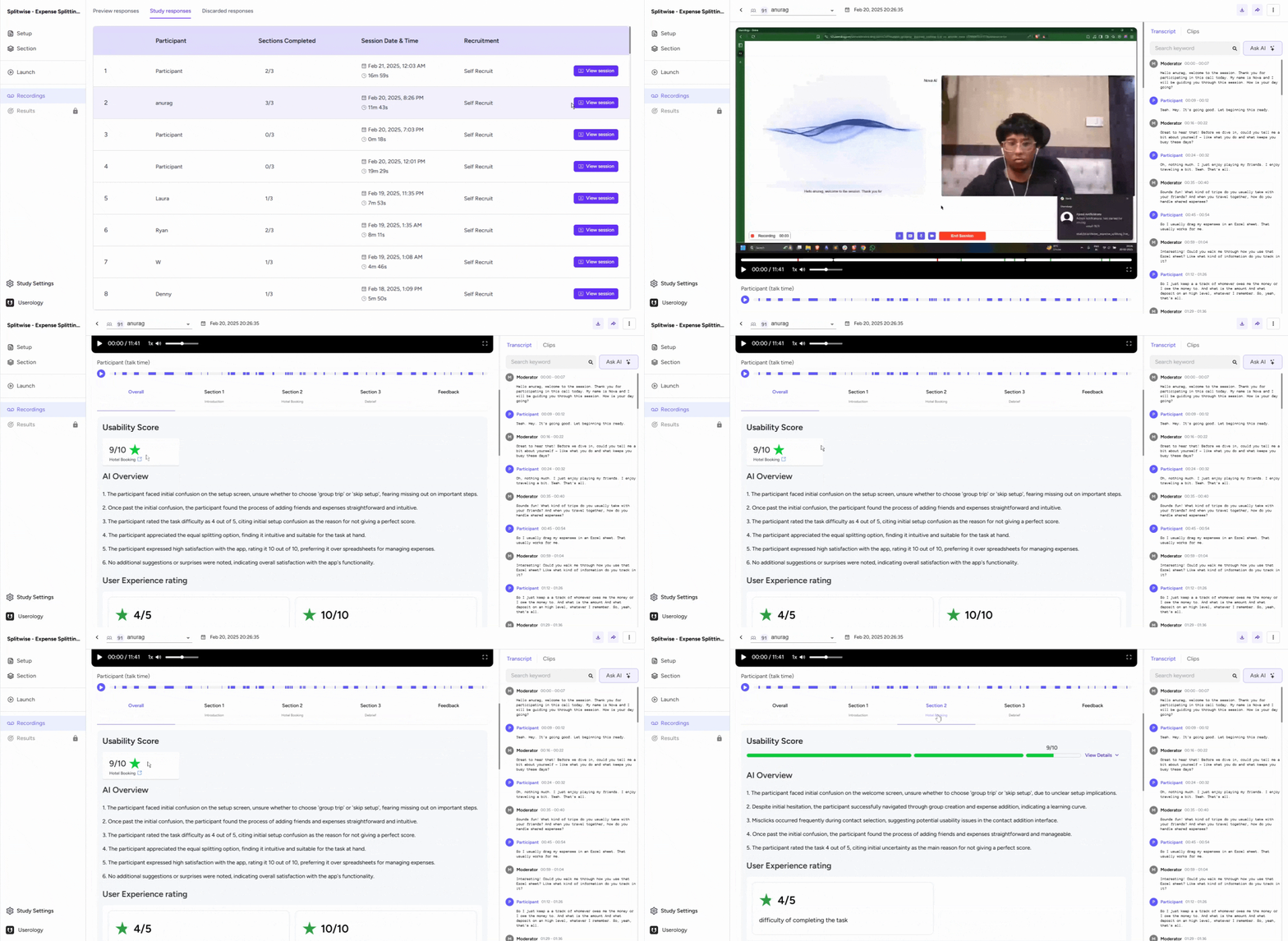
To view the usability score for a participant in Userology, follow these steps:
-
Navigate to the Recording tab of your study.
-
Select View session for the participant you want to review.
-
Scroll down to locate the usability score section. This score reflects the ease or quality of task performance based on the participant's actions.
-
Expand the score section to see specific tasks where the participant's performance was evaluated.
Components of the Usability Score
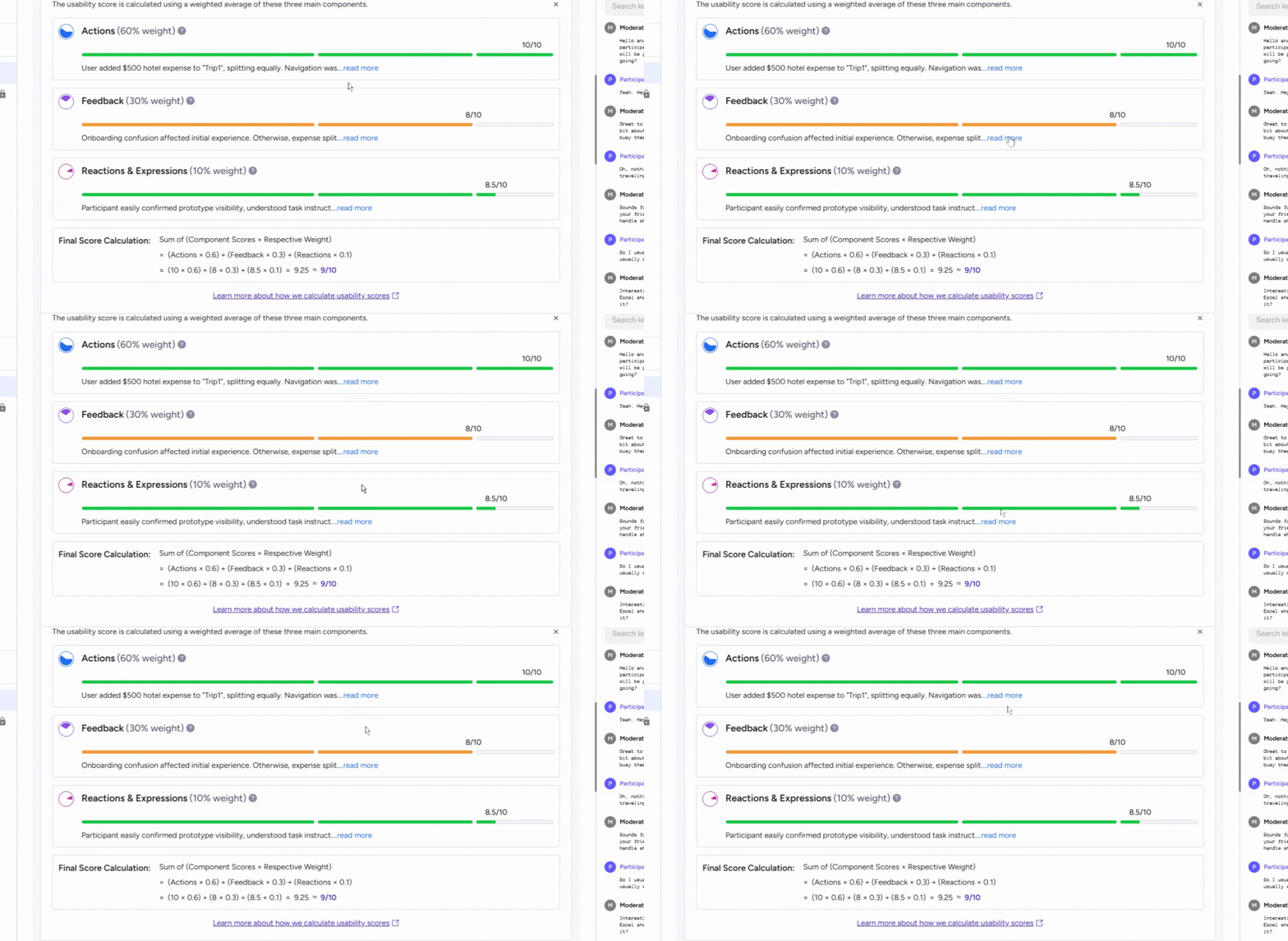
The usability score is a weighted average of three key components. Each component evaluates a specific aspect of the participant's interaction:
- Actions (60%)
This measures task completion efficiency, navigation patterns, and interaction quality. It assesses how effectively users achieve their goals within the interface, using both observable behaviors and quantitative metrics.
- Feedback (30%)
This includes explicit ratings, verbal inputs, and comments. It captures ease of use, suggestions for improvement, and overall satisfaction expressed by the participant.
- Reactions and Expressions (10%)
This evaluates non-verbal cues such as facial expressions, body language, and emotional responses during the session.
Detailed Summary of the Score
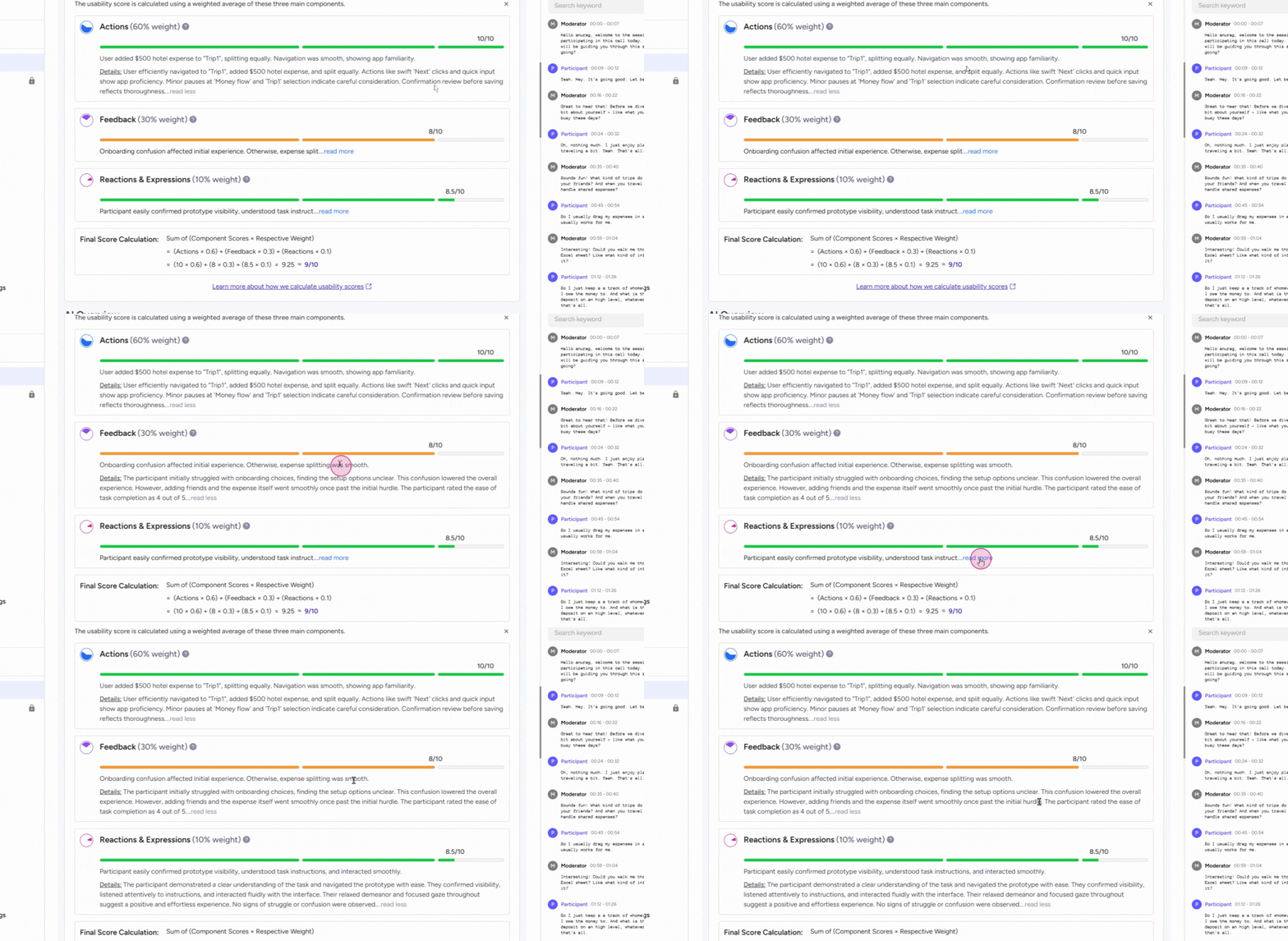
Each component includes a detailed summary that explains the assigned scores. To view these summaries:
-
Click on Read more within the usability score section.
-
Review the breakdown for each component to understand the participant's performance.
Learning More About the Usability Score
For a deeper understanding of how the usability score is calculated, Click on the provided link in the usability score section.

If you need further help, please email us at support@userology.co
Was this article helpful?
Thank you for your feedback!