
A Discussion Guide in Userology is a structured script that directs the AI moderator during usability testing sessions. It defines the questions, prompts, and branching logic used to engage participants and gather valuable feedback.
Key elements of Userology's Discussion Guide include:
- Integration of follow-up logic
- Use of participant response-based branching
- Accurate and consistent moderator behavior
- Support for single-quote formatting to ensure exact phrasing
This approach improves AI accuracy and enhances user research session quality.
You can refer to basic Best Practices for writing moderator instructions to structure your guide effectively.
Customizing and Editing Discussion Guides
Userology gives you full control to customize your guide:
- Frame questions as AI moderator instructions
- Add sub-questions to guide deeper responses
- Implement conditional flows that adjust based on answers
- Use single quotes to control specific phrasing
These features enable researchers to design complex, user-tailored usability studies.
Using AI-Generated Discussion Guides
Save time by generating your initial guide using Userology's built-in AI features:
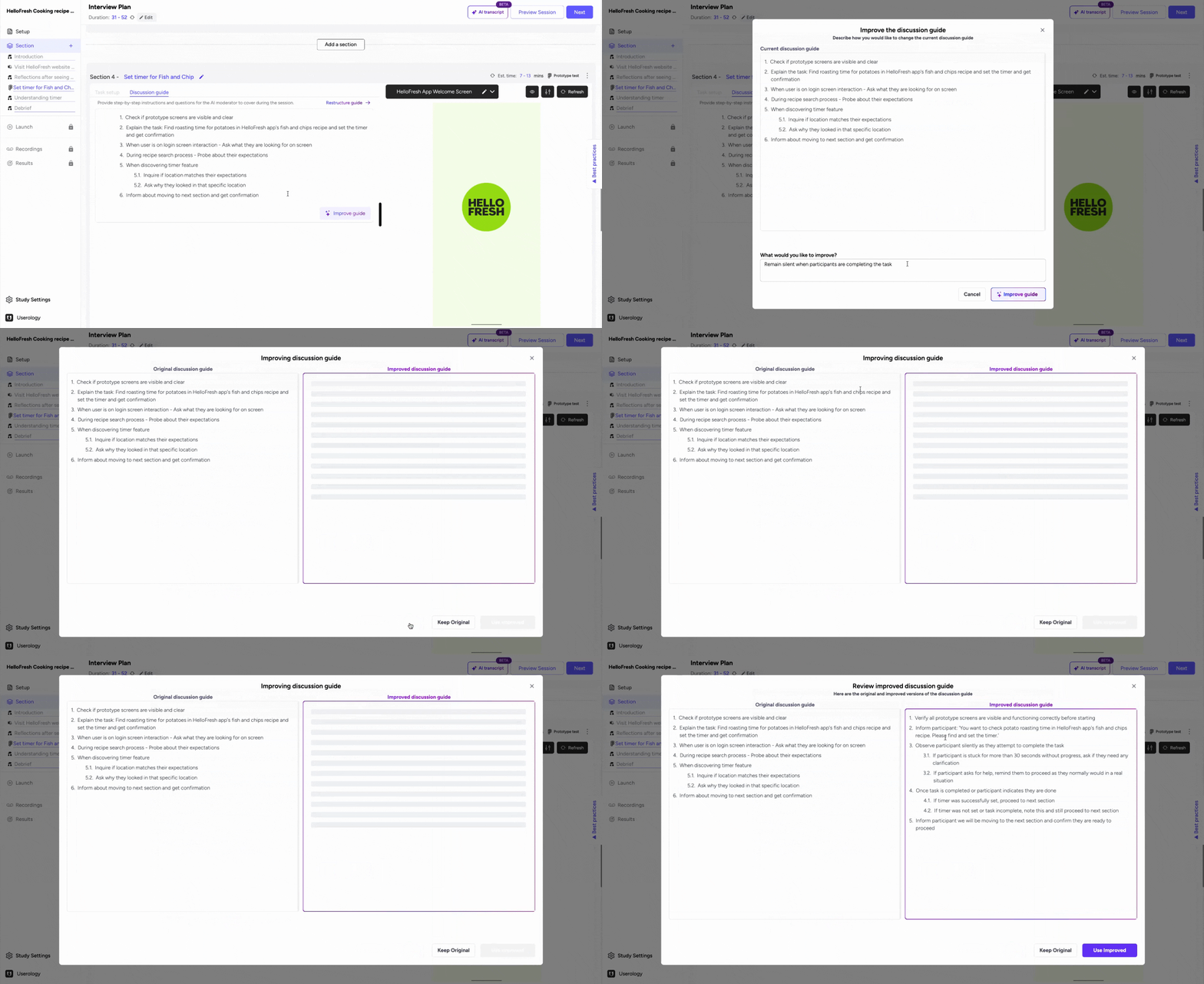
- Use "Improve Guide" to refine your script while keeping intent intact
- Add notes (e.g., "avoid interruptions") and let the AI restructure accordingly
- Use "Restructure Guide" to clean up raw questions into AI-optimized prompts
These tools support faster iteration for UX research teams and product managers.
Creating Discussion Guides from Scratch
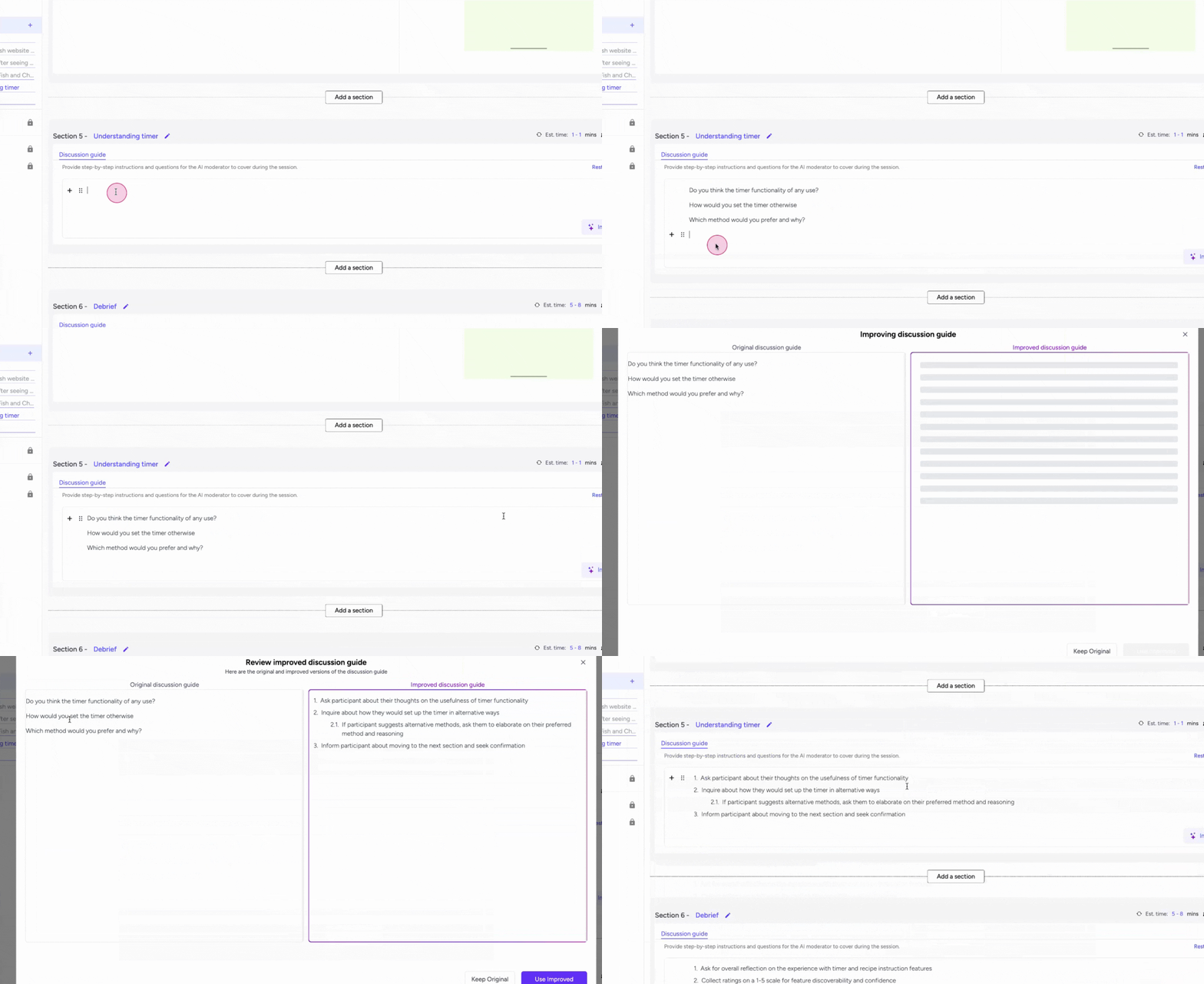
If you prefer, you can write a guide from scratch:
- Start with plain text questions
- Use "Restructure Guide" to convert them into AI-ready instructions
- Preview the session to see how the AI will interact with participants
This allows non-technical users to easily build effective, scalable user research sessions.
Preview and Test Before Launch
Before publishing, you can preview your interview session to:
- Test flow and branching logic
- Validate tone and pacing
- Make adjustments for better participant experience
This improves both the quality of feedback and the reliability of insights gathered from AI interviews.
Scaling with Interview Plans
Pair your discussion guide with an Interview Plan to:
- Combine sections like Voice Interview, Live Product Tasks, and Prototype Testing
- Create modular flows for different segments or user personas
- Keep research sessions consistent and reproducible
Follow the Interview Plan Setup Guide to structure your testing sessions end-to-end.
If you need further help, please email us at support@userology.co